Billing & driver earnings
Prepare billing packets for approval. Review driver earnings separately, with estimates drivers can see.
Invoice review and submission
- 01
Check the invoice and trip documents
The manager reviews the trip’s billing draft, charge decisions, and selected supporting documents. Readiness checks identify missing inputs, while explicit amount and evidence review keeps document presence from being mistaken for approval.
- 02
Approve the packet you reviewed
The manager reviews and approves the exact saved invoice, selected original files, and combined packet. Approval fixes that reviewed version for verified downloads, avoiding a handoff based on a draft that can still change.
- 03
Record where and when you sent it
Staff download the approved packet, hand it off outside Ounkar, then record the actual destination, time, method, and reference. The record distinguishes a manual handoff from approval alone; Ounkar sends nothing.
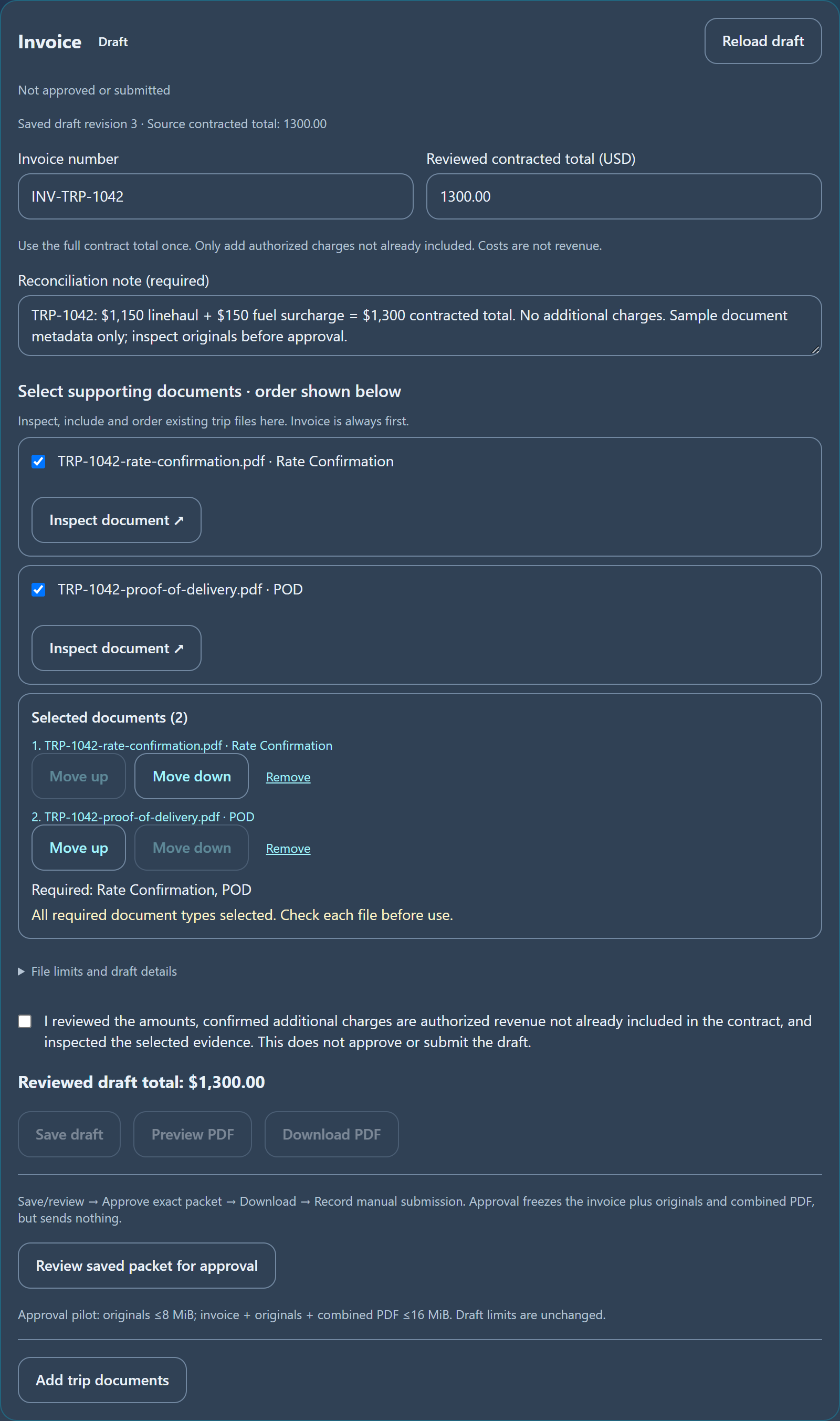
Review invoice amounts and inspect the Rate Confirmation and POD. Open the full view for packet-review controls.
Driver earnings
- 04
Check the driver and pay details
Separately, the manager assigns the financial driver and reviews payable quantities, effective terms, and eligible trip expenses. Explicit assignment and expense review keep earnings preparation distinct from operational driver names and billing approval.
- 05
Let drivers see their earnings estimates
The driver sees read-only trip earnings and reimbursement estimates with supporting details and incomplete states. This explains what the office has prepared without presenting estimates as approved payroll, net pay, or money already paid.
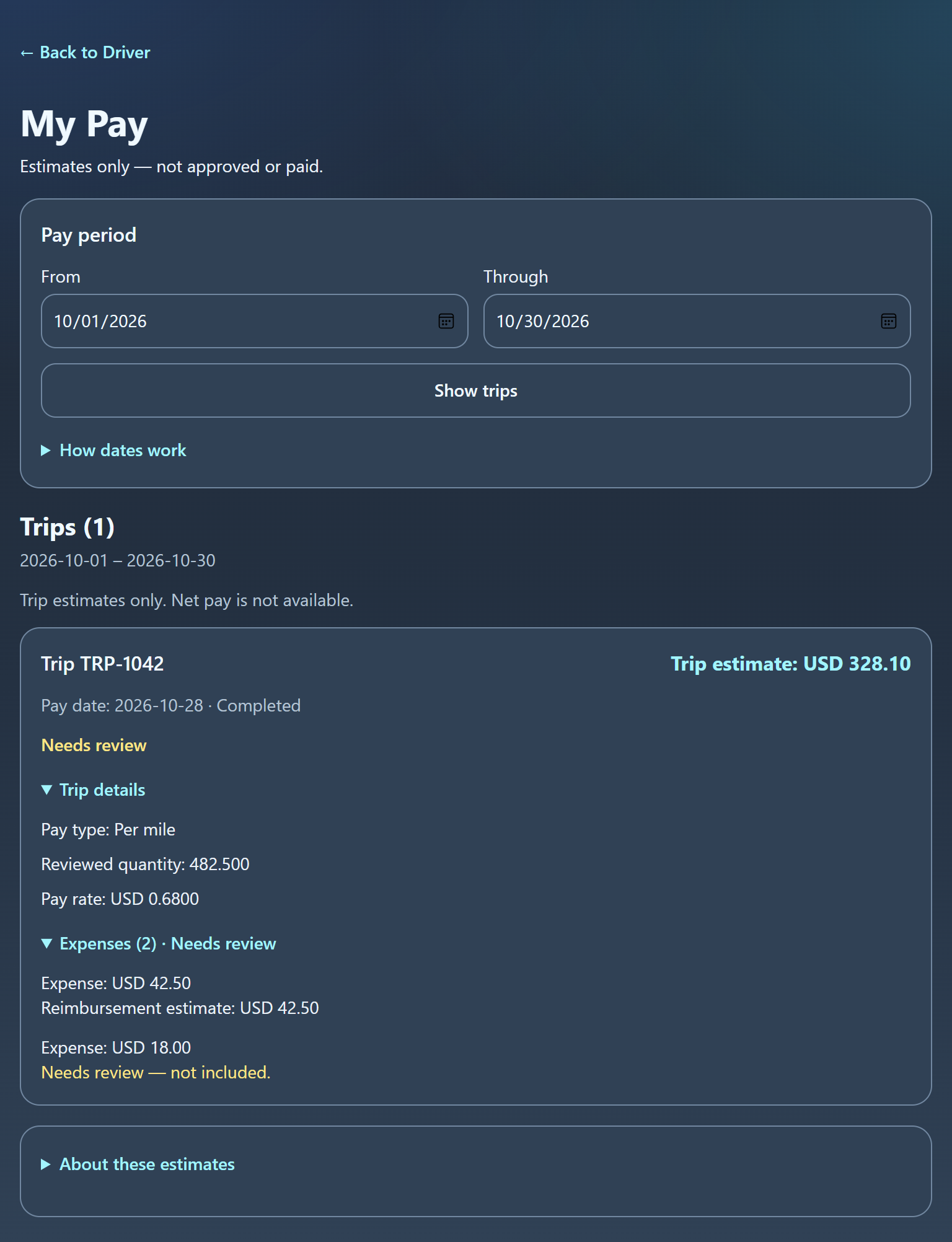
A separate driver view explains estimated earnings and reviewed expenses—not paid or finalized payroll.
Submission is manual. Earnings are estimates, not final payroll. Ounkar does not move money or guarantee funding.