Trip reports
Find trips needing attention. Check their costs, revenue, and the records behind the figures.
Trips needing attention
- 01
See which trips need attention
The reviewer opens a role-specific view with exceptions prioritized for executive, management, accounts, or dispatch work. This directs attention to trips needing investigation while keeping the wider trip list available for review.
- 02
Open the trip details
Open a trip to review its supplied revenue, costs, timeline, and document context. Moving from the role summary into the trip shows which figures or missing inputs deserve a closer look.
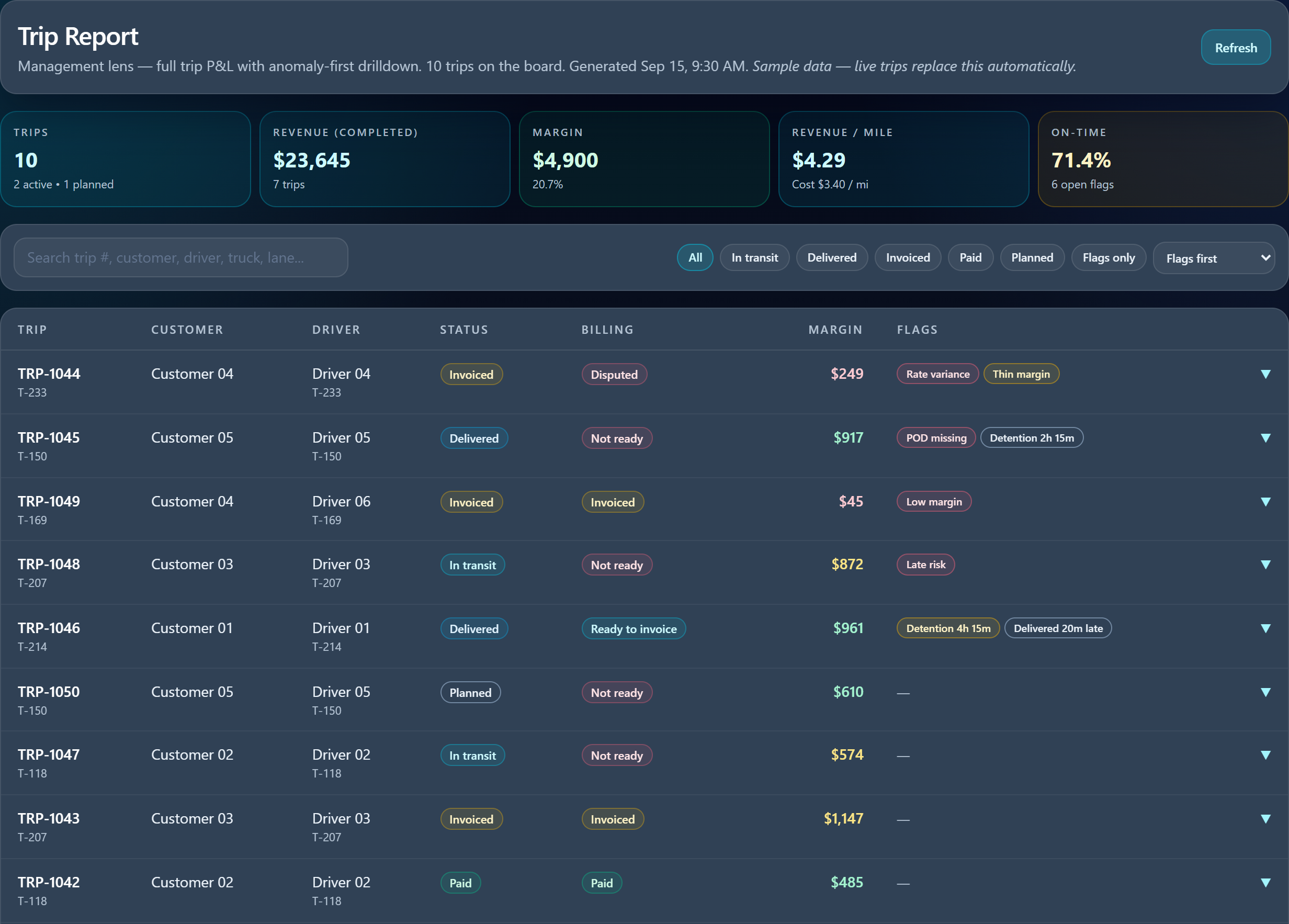
The management view brings flagged trips forward without hiding the rest of the list.
Costs and supporting records
- 03
See how each cost was assigned
Follow cost figures into available expense lines and the shares allocated to the trip. Separating the source expense from its attributed share helps explain the calculation without treating an allocation as a new charge.
- 04
Check the records behind the figures
Open available supporting records and compare them with the trip’s line items, keeping estimated costs visibly distinct from recorded values. This supports investigation while making incomplete inputs and unreconciled allocations explicit.
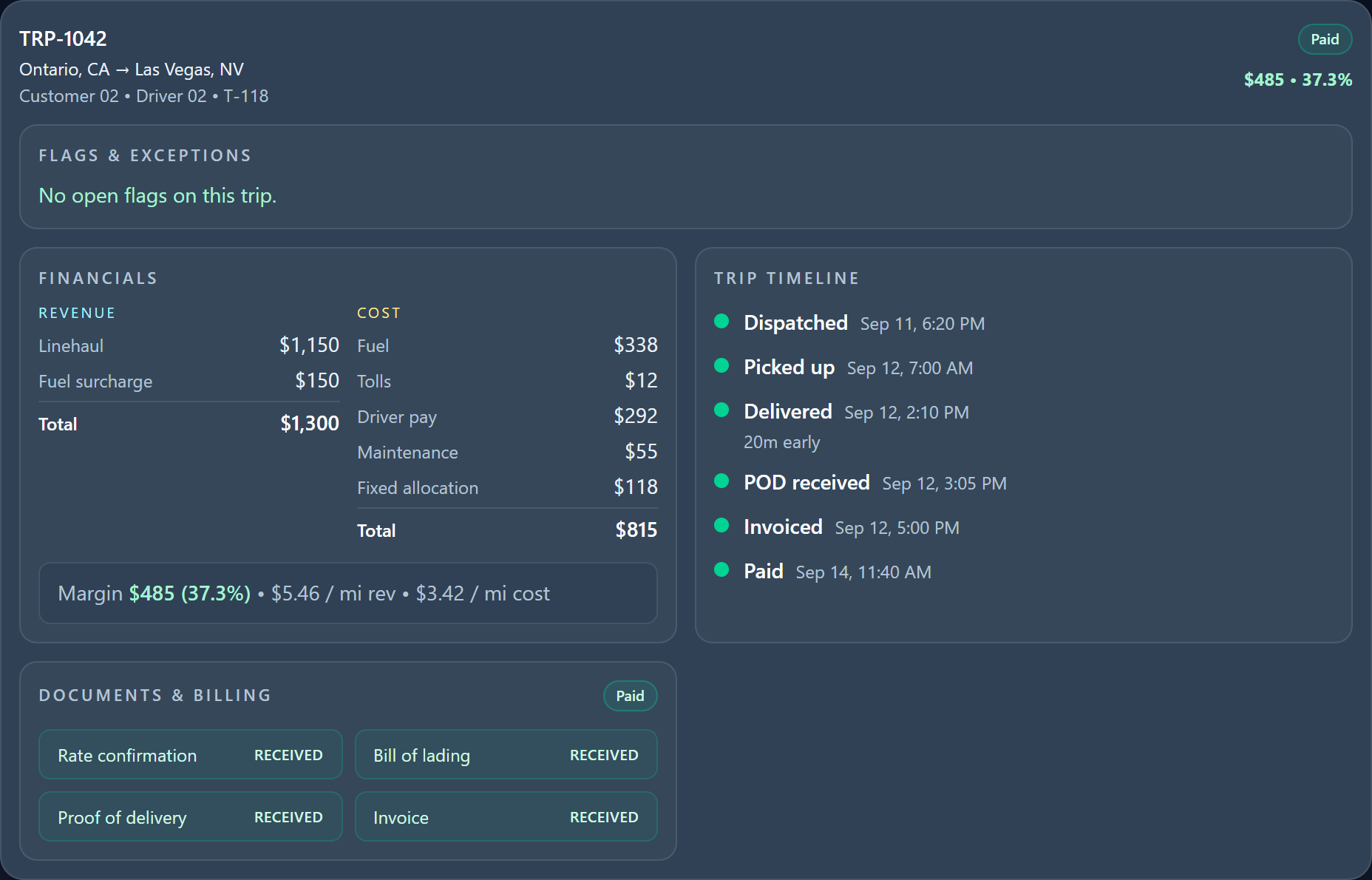
TRP-1042 opens to revenue, costs, allocation, timeline, and document status. Receipt contents are not pictured.
Missing records can leave costs incomplete. Allocations and estimates are not final reconciled accounts.